



Start here · the beginner course you can take today
AI for beginners: start here
What AI chat tools are, what they are good and bad at, and your first useful conversation.
- Level
- Beginner
- Time
- 5 lessons, about 45 minutes in total
- Cost
- Free.
Anyone who’s never used an AI tool, or tried once and gave up.

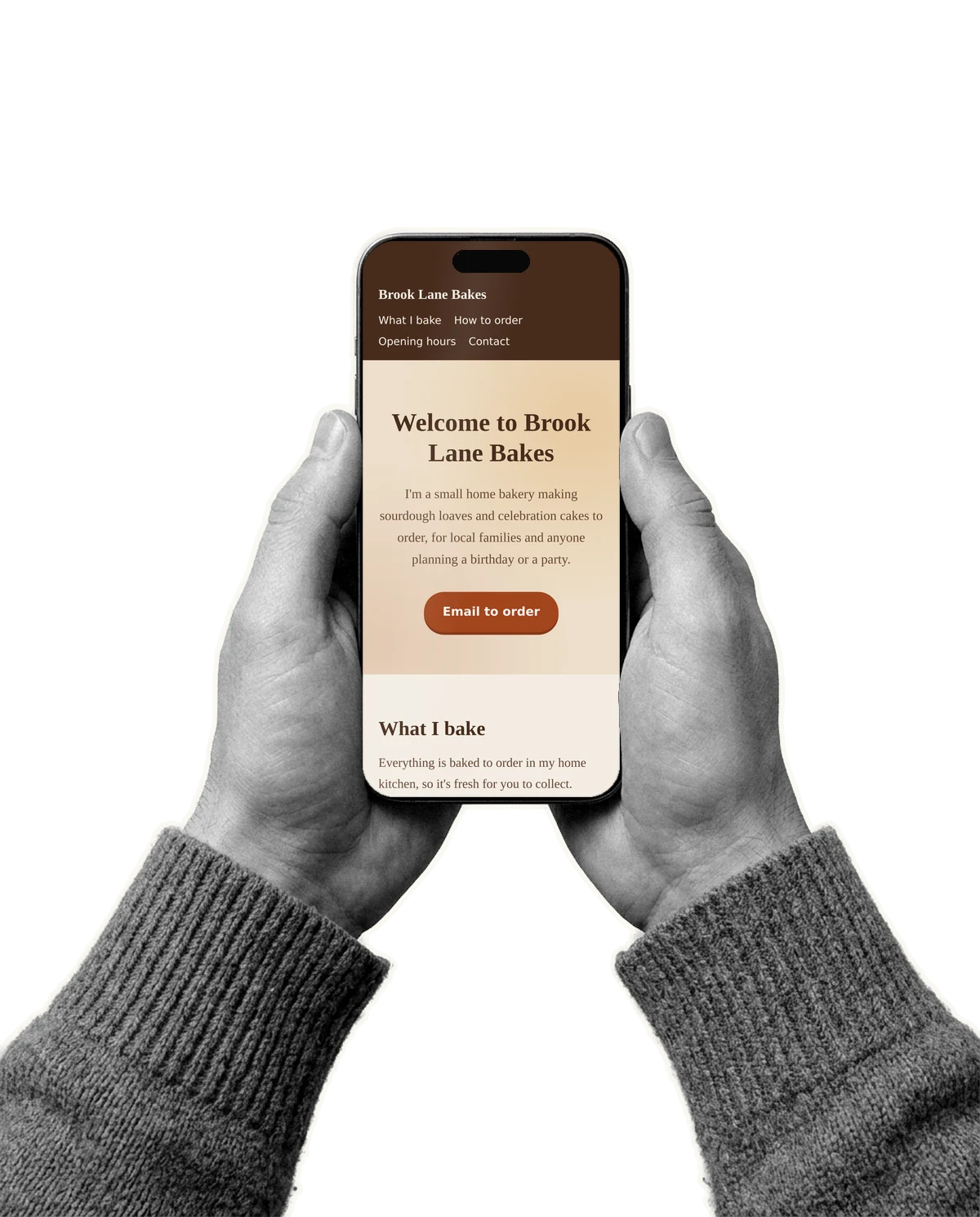
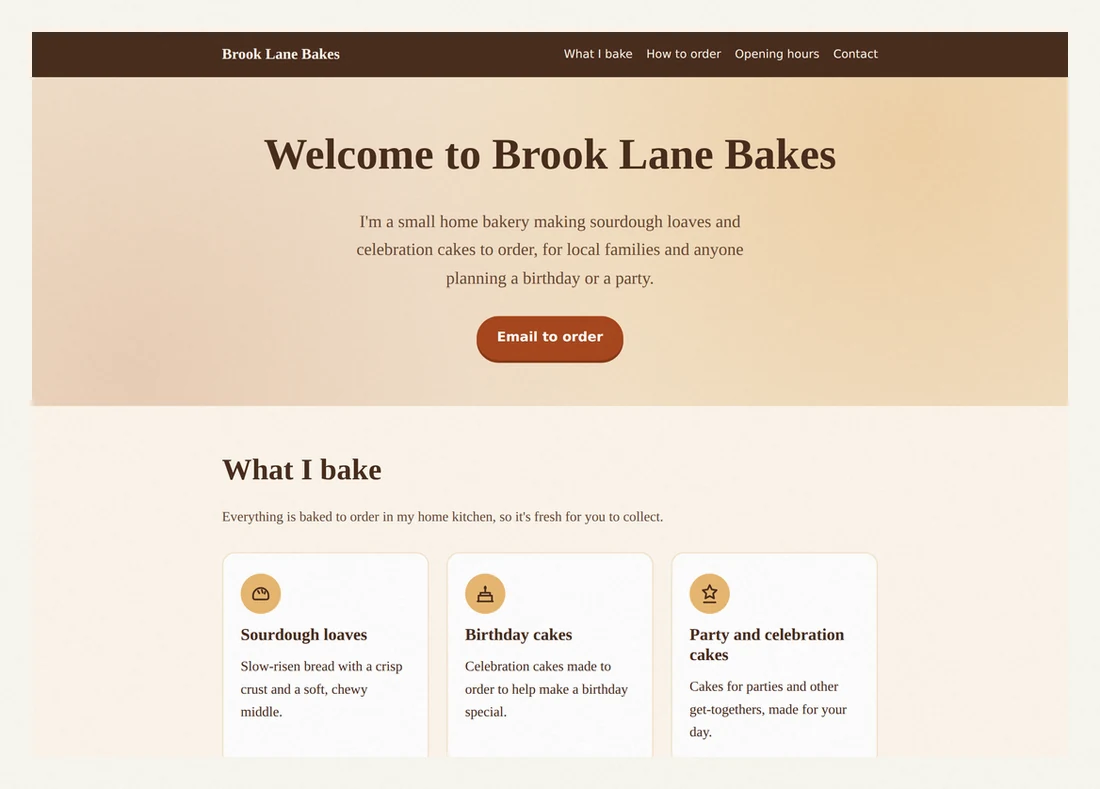
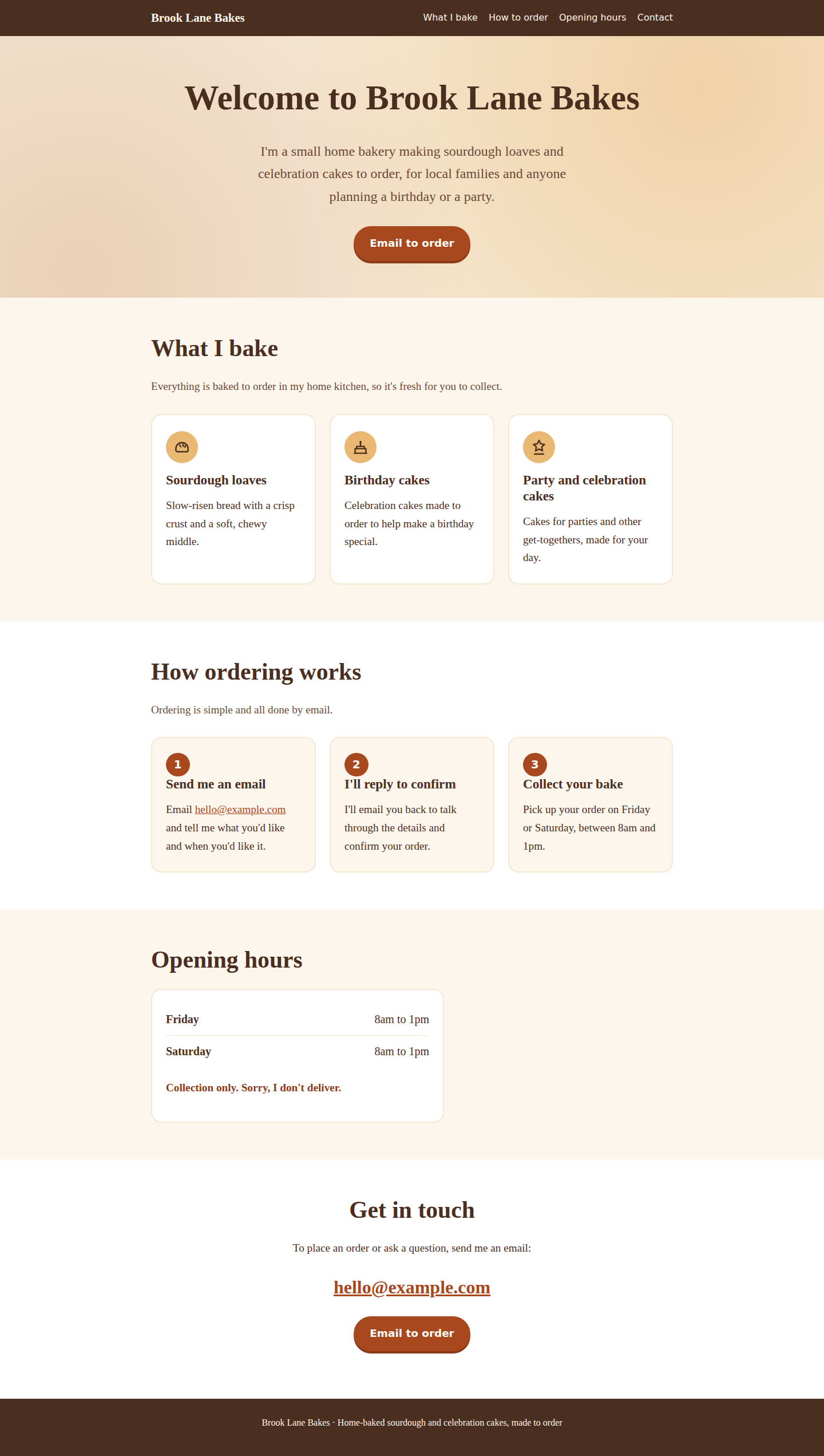
Here’s what lesson 3 made
We ran the exact prompt from lesson 3 for a made-up home bakery. This is the page that came back, unedited, opened from a file on our computer. Your page will be different, because your brief is.
- Welcome
- What I bake: three items
- How ordering works: three steps
- Opening hours
- Contact
A learner on Claude’s Free plan in the browser may get a different model, so their page will differ. The example business is fictional.

How it works
Step 1: Pick a course
Each one is 3 to 6 short lessons and ends with something you made. New to AI? Start with “AI for beginners”.
Step 2: Follow the real steps
Each step says exactly what to do, gives you the exact prompt where there is one, and tells you what you should see next. No account needed to read.
Step 3: Save your progress if you like
Sign in with an email link to tick off lessons, earn module and course badges and keep a streak. It’s optional.
Step 4: Get your certificate of completion
Finish every lesson and get a certificate with its own verification link, ready to add to LinkedIn.
- Free. No paywall, no trial, no card.
- Every lesson is readable without an account. Just open it and start.
- Sign in with a link sent to your email, only to save your progress. No passwords.
- Finish a course and get a certificate of completion with its own verification link, ready to add to LinkedIn.
- Every course ends with something you made, not a quiz score.
All courses
Three courses are written and ready. The others are planned, so their lesson counts and times are the planned outline, not a finished course.
Start here
New to AI? Begin with these two.
Build something
Courses that end with a thing you made.
- Build a website with AI and put it onlineAvailable now
- Build a simple app without codingPlanned
- Make videos with AIPlanned
- Build your first AI agentPlanned
Work smarter
Planned. Until they are written, start with the website course.
- AI automation with no codePlanned
- AI for your small businessPlanned
- AI for marketingPlanned
- AI in spreadsheetsPlanned
Questions
Is it really free?
Yes. Every lesson, badge and certificate of completion is free. There’s no paid tier, no trial and no card. Some courses use outside tools, so each course lists them with their cost and the date we checked it, and we pick ones with a free plan where we can.
Do I need an account?
No. Every lesson is readable without one. An account only saves your progress, keeps your badges and lets us issue your certificate of completion. You sign in with a link sent to your email, so there are no passwords.
Is the certificate accredited?
No. It’s a certificate of completion: it shows you finished every lesson of a course. It isn’t a qualification and we aren’t an accredited body. What it does have is its own verification page, so anyone can check it’s real, and you can add it to LinkedIn.
Who writes the courses?
Jack Stovell, founder of Adapt Progress Evolve, which publishes this site. Each course is built by actually doing it: the prompts are the ones we used, and the finished page or plan you see is what we got.
How do you keep the screenshots current?
Every walkthrough is captured by a script we can re-run when a tool changes its screens, and each screenshot shows the date it was captured. Where a step happens inside a signed-in account we can’t script, we say so. We won’t show you an old or made-up screen instead.
What happens to my data?
We keep your email address, your progress and what you’ve earned. Your public profile is off unless you turn it on. You can export or delete everything from your dashboard at any time. Course news by email is a separate choice from signing in.